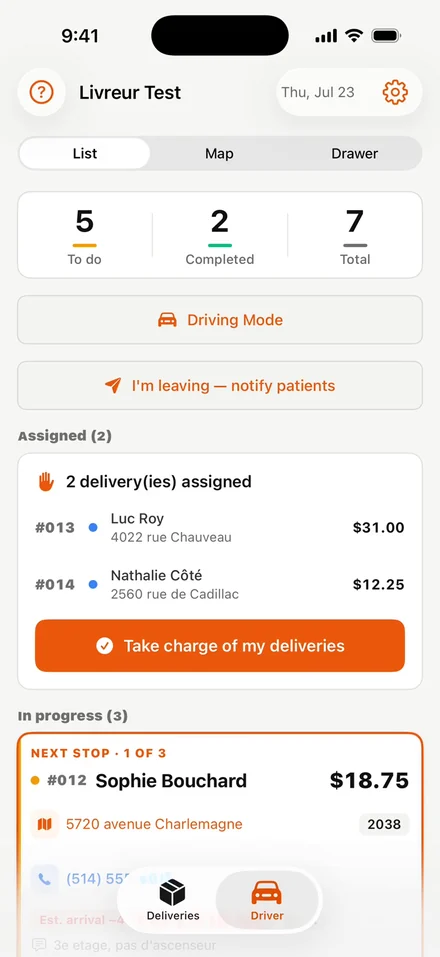
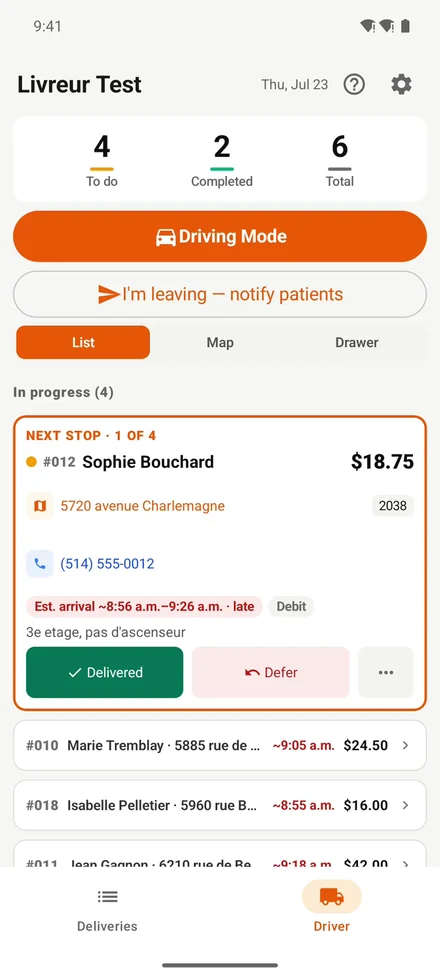
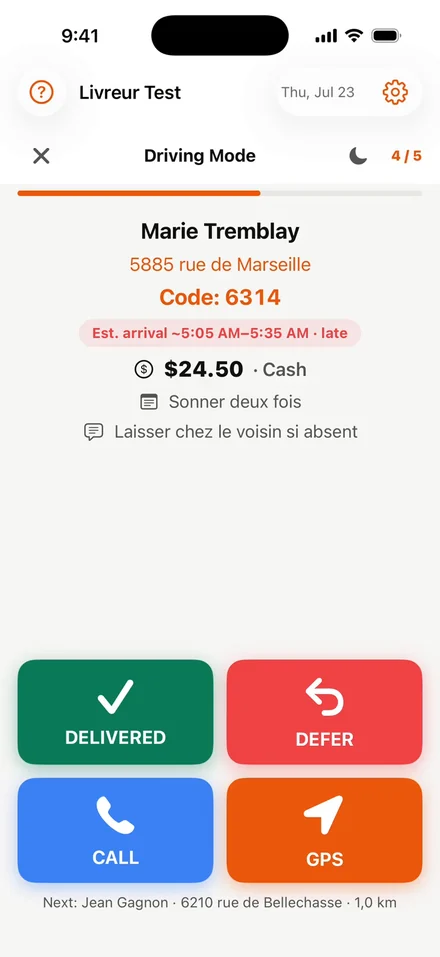
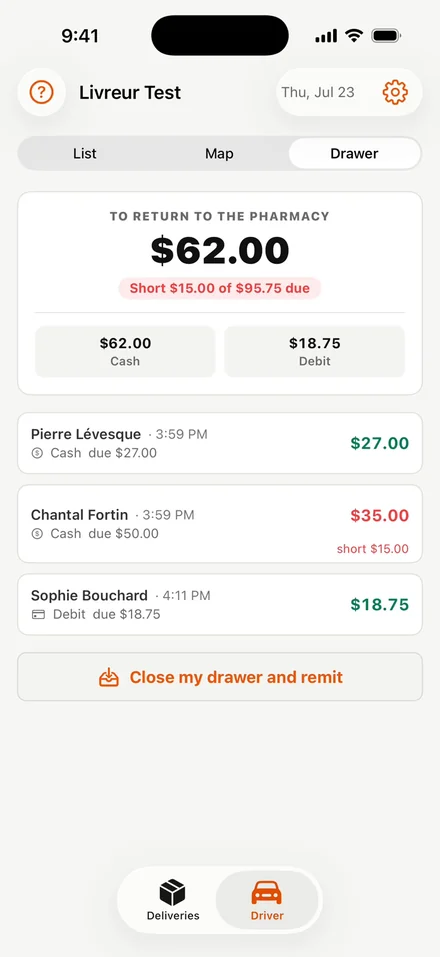
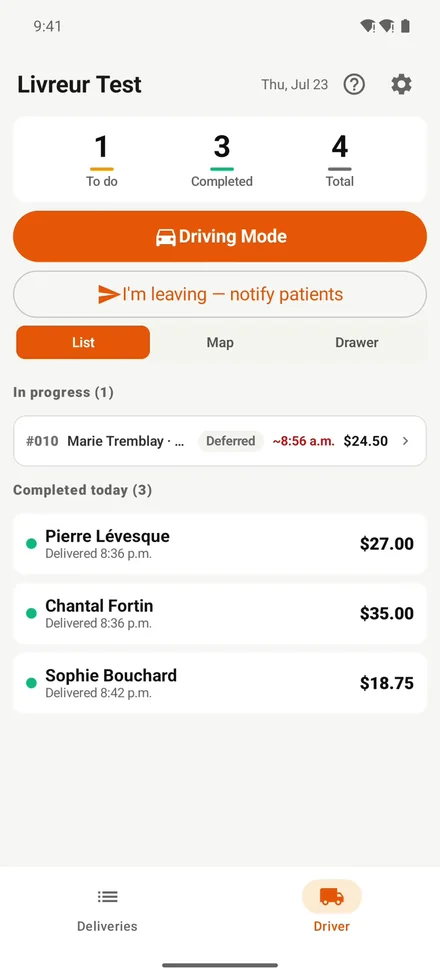
The same app on both platforms: the route already in the right order, the “I’m leaving” button that warns the patients, GPS navigation, proof of delivery and the end-of-day cash sheet.
Free for your driversIncluded from the Premium planNothing to configure
On iPhone
Three screens, the driver’s whole day.
From picking up the bags in the morning to handing the cash back at the counter.
The route, already in order
Stops arrive in the computed order. The driver takes the bags in one tap and sees right away what lies ahead.
Drive mode
One stop at a time, in large type: delivered, postponed, call the patient or start the GPS. Made to be used parked, without hunting for anything.
The driver’s cash sheet
Cash and card payments add up during the route. At the end of the day the amount to hand back is already computed — and any shortfall is visible.
On Android
The same app, on the phones you already have.
The Android app does the same job as the iPhone one: ordered route, “I’m leaving”, GPS, proof of delivery and cash sheet. It installs straight from our help center, without going through the Play Store.
The next stop
Address, door code, patient instructions, amount to collect and expected arrival time — all on one screen.
The end of the route
Completed deliveries, the time of each hand-off and the amounts collected: the evening reconciliation writes itself.
What the app does
Six actions that change a route.
Optimized route
Stops are already in the right order when the app opens. The driver can re-run the optimization when leaving late.
The “I’m leaving” button
One tap when leaving the pharmacy: every opted-in patient gets a text with their expected arrival time, computed from the real departure.
GPS navigation
One tap opens Maps (iPhone), Google Maps or Waze, the driver's choice, right on the stop point — not in the middle of the street.
Proof of delivery
Delivered, postponed, returned: every stop is time-stamped. The counter sees the result in real time and can answer the patient who calls.
Money collected
Cash, debit, credit: the driver records what was collected, the app computes what must be handed back and flags any shortfall.
Surprises handled
Patient away, delivery to postpone, stop to hand to a colleague: it all happens from the phone, without calling the pharmacy.
Installing
Three minutes, on any phone.
The driver signs in with the account created by the pharmacy; the app finds your pharmacy on its own from the email address.
iPhone
Free on the App Store
Search for “1Rx Driver” in the App Store, tap “Get”, sign in once. After that, Face ID is enough.
The Android app is distributed by us, outside the Play Store: you download the file from our help center, then tap “Install”. The page walks through every step.